
CMMS software where nothing falls through the cracks
Every request goes into one queue, and Pro on 100 assets has no user limit, so every technician works it.
- Free plan, no card. Sign up with Google or email.

Anyone submits by QR code, with no account
Anyone on the floor scans an asset's QR code and submits the issue with a photo, with no account. You turn it into a work order and assign a technician from the issue's menu.
Learn more about Work Orders
From a free QR request to an offline close-out
Reporters need no account, and offline work is on every plan.
-
QR requests with no account
The public form asks for a description, photos, a name, and an email, and no sign-in.
-
Work orders from a guided wizard
You create each one in a guided wizard and assign it to a technician.
-
Android app on Free
Technicians open assigned work orders, follow the checklist, and add photos at the job.
-
Offline on every plan
With no signal, a technician completes the work order, and it syncs once the connection is back.
-
A photo required per task
A procedure checklist can require a photo for each task, on Pro.
PM work orders arrive before each PM falls due
Set a schedule by calendar or hour meter. The work order is waiting before the date, so a PM no longer lives in someone's head.
Learn more about Preventive Maintenance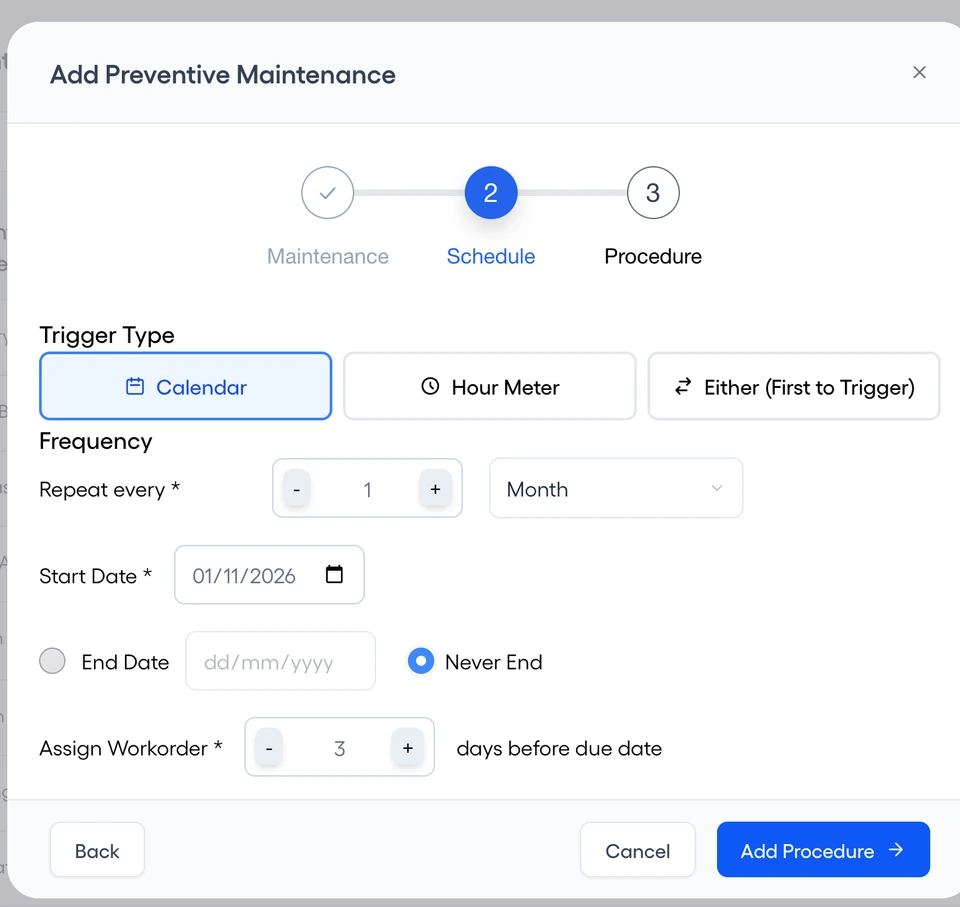
Every asset keeps its history and compliance
Read an asset's work, its PM compliance, and its costs in one place. Export reports when an audit asks for them.
Learn more about Reporting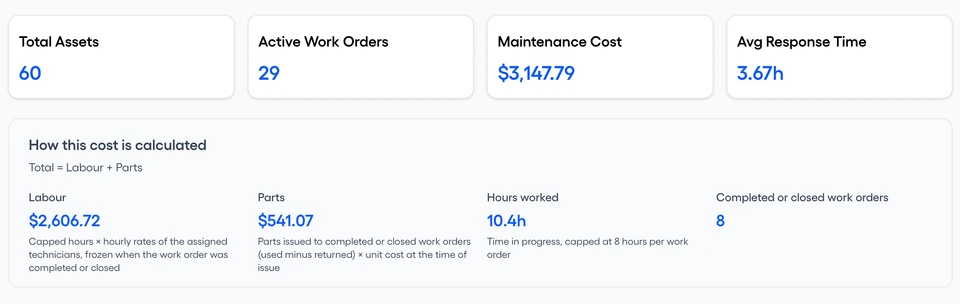
One product for each trade's assets and requesters
Every trade gets the same plans, and its requesters need no account.
-
Manufacturing
Set PMs by hour meter, and the work order arrives before each one falls due.
-
Healthcare
Read each asset's history and PM compliance, and export reports for the audit.
-
Facilities Management
Occupants submit issues from a QR code in each building, with no account.
-
Hospitality
Staff report a broken room fitting by QR code, with a photo.
-
Education
Enable students and staff to submit issues by QR code, from university email addresses.
-
Energy & Industrial
Technicians close out work orders on Android at sites with no signal.
-
HVAC
A checklist can require a photo for each task, on Pro.
-
Plumbing & Electrical
Plan the parts for each work order and see what they cost, on Pro.
License cost, offline work, and your spreadsheet
What does a license cost, and are requesters free?
Pro on 100 assets has no user limit, and the price is on Pricing. People who only submit issues use the QR form and need no account.
Does it work offline?
Yes, in the Android app on every plan. A technician can open an assigned work order, complete its tasks, add a photo, and complete it with no signal. It syncs once the connection is back. The web app needs a connection.
Can I bring my spreadsheet?
Yes. Fill the asset or procedure template and import it. You see each row's errors before anything is imported.
Will a sales rep call me after I sign up?
No. Start free and look around on your own.
Is there a phone app?
Yes. Technicians work assigned work orders in the Android app, offline included, on every plan.
Get every request into one queue
Start on the Free plan with no card, and move to Pro at $99 a month for 10 users or 100 assets when you need it.